
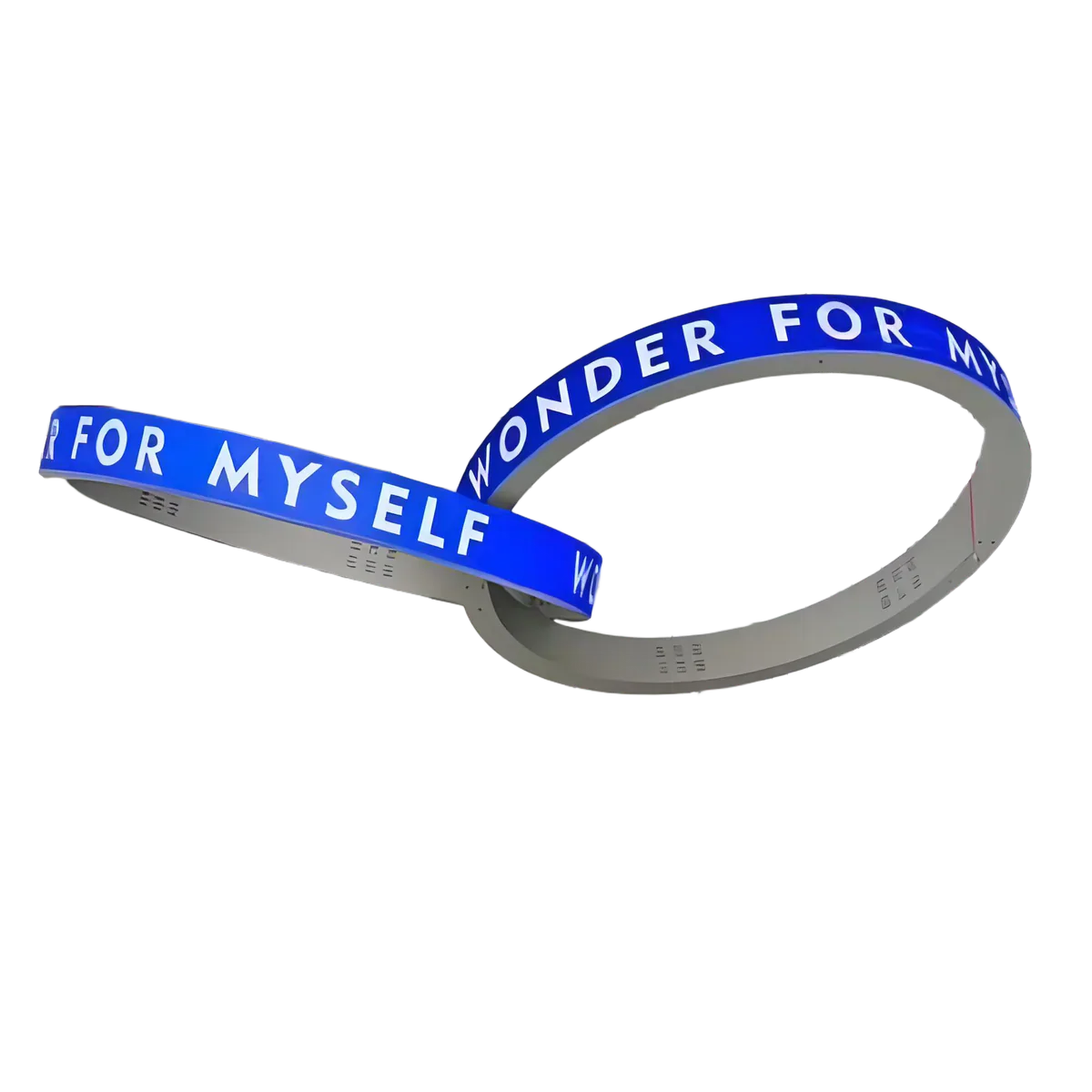
LED Ticker Displays have become an essential tool in modern offices, trading floors, retail spaces, and campus environments. Whether you're following stock prices, crypto trends, FX rates, sports scores, or breaking news, these dynamic displays ensure information is delivered smoothly and continuously. However, like any sophisticated electronic device, an LED ticker requires proper maintenance to maximize its lifespan and maintain optimal performance. In this article, we’ll share best practices for keeping your LED ticker displays in top condition, with practical tips drawn from professional installations and real-world usage.
1. Understanding Your LED Ticker Display
Before diving into maintenance, it's important to understand the technology behind your ticker. Our LED Ticker Displays are designed for continuous, 24/7 operation, with options ranging from single-row to multi-row formats and modular lengths that allow for both compact office installations and long wall-run displays. High-brightness LEDs, wide viewing angles, and smooth scrolling are standard features, ensuring your content remains readable from multiple angles.
For specialized use cases, consider P2.5 Indoor Circular LED Ticker Dual-Face Display Ring for spaces that benefit from 360-degree visibility, or the P2.5 Indoor Circular LED Ticker Single-Face Display Ring for traditional single-sided display setups. Choosing the right model from the start is crucial, as it determines the level of brightness, viewing flexibility, and durability you can expect.
2. Cleaning and Dust Prevention
Dust and grime are among the most common factors that degrade LED ticker performance over time. Even indoor environments accumulate fine dust that can settle on the LED modules, causing dimming or uneven brightness.
Best practices include:
-
Regular light cleaning: Use a soft microfiber cloth or a soft brush to gently remove dust from the front surface. Avoid pressing too hard to prevent damaging the LED pixels.
-
Avoid harsh chemicals: Do not use ammonia-based or abrasive cleaners. Instead, use a slightly damp cloth with distilled water if necessary.
-
Air filtration: For indoor installations in high-dust environments (like near construction zones or busy offices), consider using an air purifier to reduce airborne particles.
-
Enclosure protection: Some LED ticker models come with protective covers or anti-glare panels. Regularly check for scratches or cracks and clean these surfaces carefully.
Following these habits can reduce pixel failure and maintain the crispness of your scrolling text or graphics.
3. Optimal Temperature and Humidity Conditions
LED tickers generate heat during continuous operation. While high-quality displays are designed to withstand standard office temperatures, prolonged exposure to extreme heat or moisture can shorten the lifespan of the LEDs and electronic components.
Tips for maintaining ideal conditions:
-
Temperature: Keep your environment between 15°C and 30°C (59°F–86°F). Avoid placing the display near heaters, direct sunlight, or other heat sources.
-
Humidity: Maintain relative humidity between 40% and 60% indoors. Excessive moisture can corrode electronic connections, while extremely dry conditions may cause static buildup.
-
Ventilation: Ensure sufficient airflow around the ticker. Modular cabinets often have built-in vents — never block these areas.
By keeping your LED ticker within recommended environmental parameters, you ensure stable performance and prolong the lifespan of the unit.
4. Electrical and Power Considerations
Stable power supply is essential for continuous, smooth operation. Sudden voltage fluctuations or improper cabling can damage the LED modules or the controller.
Best practices include:
-
Surge protection: Use a surge protector or an uninterruptible power supply (UPS) to prevent damage from voltage spikes.
-
Dedicated circuits: For larger multi-row or high-brightness installations, consider a dedicated circuit to avoid overload.
-
Cable management: Ensure all power and data cables are securely connected and avoid tight bends that could damage the wires over time.
-
Regular inspection: Periodically check connectors for signs of wear or discoloration, which could indicate overheating or corrosion.
Following these steps reduces downtime and protects your investment.
5. Software and Data Management
Most modern LED tickers allow content updates via Wi-Fi, LAN, PoE, or serial protocols like RS-485. Using these systems correctly is just as important as hardware care.
Recommendations:
-
Firmware updates: Keep the ticker’s firmware and content management software up to date to ensure compatibility and avoid bugs.
-
CMS best practices: Use a reliable content management system (CMS) to schedule updates and avoid rapid, excessive changes that could stress the controller.
-
Backup configurations: Save display settings and templates to quickly restore operation in case of system reset or failure.
-
Network stability: For network-connected tickers, ensure stable Wi-Fi or LAN connectivity to prevent data interruption.
Proper software handling ensures your ticker runs smoothly and prevents errors in scrolling text or data feeds.
6. Regular Inspection and Preventive Maintenance
Even with careful operation, periodic inspection can catch small issues before they become major problems.
Checklist:
-
Check LED pixels for dead spots or flickering.
-
Inspect modular connections between panels for tightness.
-
Ensure mounting brackets and supports are secure.
-
Test different display speeds and brightness settings to detect anomalies.
-
Keep a log of maintenance activities for reference.
Preventive maintenance is far more cost-effective than emergency repairs.
7. Troubleshooting Common Issues
Some typical problems and solutions include:
| Issue | Possible Cause | Recommended Action |
|---|---|---|
| Flickering or uneven brightness | Loose connections or voltage fluctuation | Check cabling, use surge protection, and ensure stable power |
| Dead or stuck pixels | Physical damage or aging LEDs | Replace affected module(s) if under warranty |
| Network content not updating | CMS or connectivity problem | Verify LAN/Wi-Fi connection, check CMS settings, restart controller |
| Slow scrolling or lag | Controller overload or software glitch | Reduce content complexity, update firmware, or reset controller |
Proactive troubleshooting minimizes disruption and ensures continuous readability.
8. Summary: Best Practices at a Glance
Maintaining an LED ticker is not difficult if you follow a few key principles:
-
Keep the display clean and dust-free.
-
Control temperature and humidity.
-
Use stable power and proper cabling.
-
Manage software updates and content responsibly.
-
Perform regular inspection and preventive maintenance.
By integrating these habits into routine operation, your LED ticker display will deliver reliable performance, long lifespan, and clear, professional visibility for years to come.
9. Ready to Upgrade Your Display?
If you’re considering enhancing your office, trading floor, or retail space with a high-performance LED ticker, explore our range of indoor circular LED ticker displays.
| Product | Description |
|---|---|
| P2.5 Indoor Circular LED Ticker Dual-Face Display Ring | Ideal for 360-degree visibility, continuous live feeds for stocks, crypto, or news. |
| P2.5 Indoor Circular LED Ticker Single-Face Display Ring | Classic single-sided display for wall or corner installations, supports high-brightness live feeds. |
By selecting the right model and following proper maintenance practices, your LED ticker display becomes not just a screen, but a reliable tool for real-time communication and brand impact.